
Passwords are familiar, but they're also easy to reuse, expose in a breach, or enter on a convincing fake sign-in page. For a growing Missouri business, a stolen email, bookkeeping, or website-administrator login can create problems far beyond one employee's inbox.
Passkeys offer a more secure way to access supported accounts. They use cryptographic credentials instead of asking an employee to type a reusable password into a website. The result is a strong defense against many common credential-phishing attacks—but only if the business also handles weaker fallback methods, device access, and account recovery carefully.
What exactly is a passkey?
A passkey is an authentication credential built using public-key cryptography. When a service supports passkeys, it stores a public key associated with your account. The corresponding private key stays under the user's control on an eligible device, credential manager, or hardware security key. During sign-in, the device proves possession of that private key without sending it to the service.
People typically approve the sign-in by unlocking a device with a PIN, fingerprint, face recognition, or another supported local method. A passkey is not simply a fingerprint saved on a website: the device handles biometric processing locally, while the website receives a cryptographic authentication result. FIDO Alliance explanation.
Service sends a challenge
Your sign-in starts with a fresh request from the legitimate service.
Device signs it
After local verification, the authenticator proves it holds the passkey.
Service verifies
The service checks the signature using the public key on file.
Why this matters to Missouri businesses
A small organization may rely on just a few critical accounts: the owner’s business email, Microsoft or Google workspace, accounting service, ecommerce storefront, domain registrar, website hosting, and backup administration. If an attacker gains control of one account, the impact can cascade through invoices, customer communications, payments, or recovery options.
Passkeys are especially useful because a properly implemented FIDO2/WebAuthn login is cryptographically bound to the legitimate service’s domain. A lookalike phishing page cannot simply collect and replay the authentication credential the way it could collect a password or one-time code. NIST identifies WebAuthn verifier-name binding as an example of phishing-resistant authentication. NIST SP 800-63B-4, authentication guidance.
Passwords, OTP codes, and passkeys compared
| Sign-in method | Typical exposure | Practical assessment |
|---|---|---|
| Password alone | Phishing, reuse, credential stuffing | Replace for critical accounts wherever supported. |
| Password + SMS or authenticator code | Stronger than password-only, but codes can be entered on impostor sites | Useful when phishing-resistant MFA is unavailable. |
| Passkey (FIDO2/WebAuthn) | Resists conventional credential phishing; recovery, sessions and endpoints still need protection | Prefer for supported high-value accounts, with sound recovery controls. |
Not every MFA method is phishing-resistant. NIST specifically warns that manually entered one-time passwords can be relayed by an impostor site. CISA recommends prioritizing phishing-resistant MFA for privileged accounts and access to sensitive information. CISA phishing guidance.
Synced passkeys versus device-bound passkeys
Synced passkeys
A synced passkey may be available across multiple devices through a credential manager. This can simplify employee transitions between a phone and laptop and lower the friction of device replacement. However, the security of the credential manager, sync account, managed devices, and account-recovery process becomes part of the security picture.
Device-bound passkeys
A device-bound passkey stays on a particular device or hardware authenticator rather than moving through a synchronization service. This can be appropriate for higher-risk administrator accounts or settings where the business needs tighter control of authenticators. It also means replacement and recovery must be carefully planned.
NIST's current digital identity guidance includes specific considerations for synced authenticators, such as encrypted key material, sync-fabric access controls, recovery and revocation. The right choice is based on the account's risk and the identity platform's supported policies, not a universal rule that one type fits every employee. NIST SP 800-63B-4.
A four-phase passkey rollout for a small office
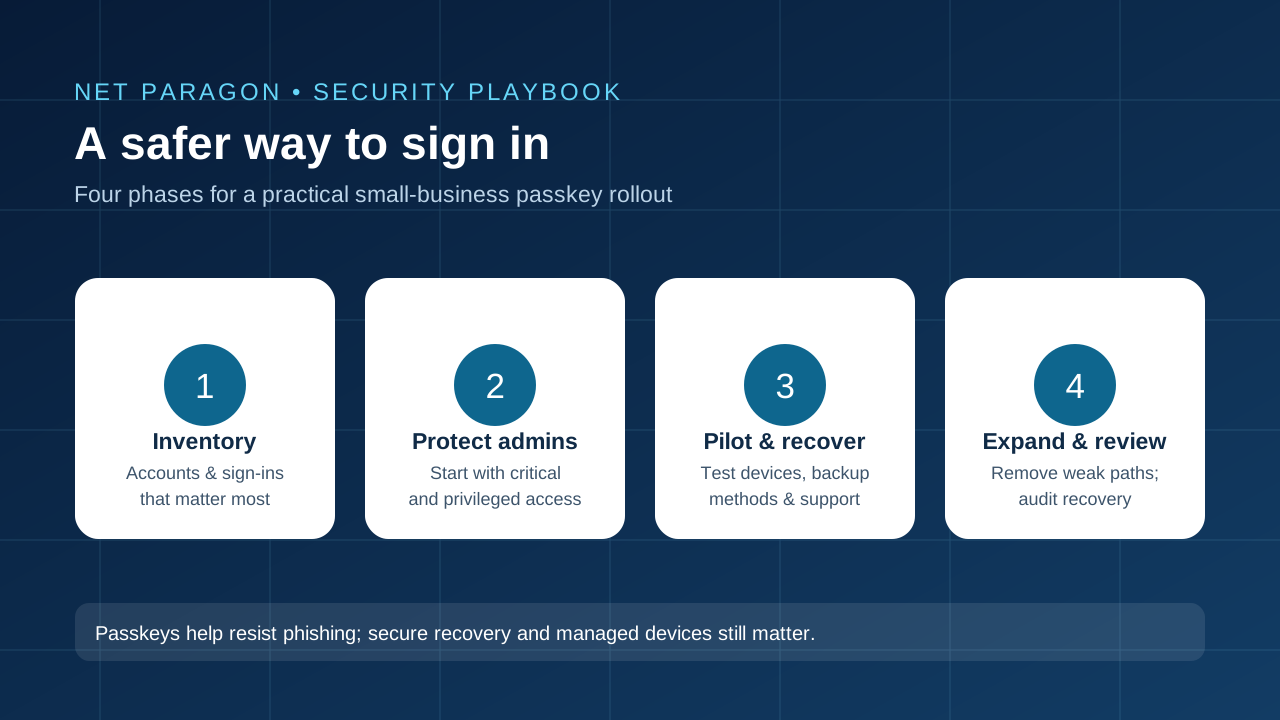
- Inventory critical access. List business email, identity provider, payroll and accounting, website administrator, domain registrar, payment services, remote-access systems, and backup consoles. Note which platforms actually support passkeys and which still require other MFA methods.
- Start with administrators. Protect the accounts capable of changing billing, recovery methods, users, DNS settings, or backups. Consider managed device-bound passkeys or hardware security keys for high-privilege roles where supported.
- Pilot and test recovery. Enroll a small group on real devices. Verify normal sign-in, lost-device replacement, spare authenticators, platform compatibility, and the business's identity-verification procedure for account recovery. Document the process before expanding.
- Expand and audit fallbacks. Train employees, enforce stronger methods where available, and review whether password-only or easily phished recovery paths still grant access. Continue monitoring sign-ins and offboarding promptly.
Four mistakes that can undermine the upgrade
1. Leaving a phishable sign-in route enabled
If an account accepts both passkeys and a weaker password login, an attacker may target the weaker method instead. FIDO Alliance research specifically highlights this deployment problem. Where supported and operationally appropriate, apply access policies that prevent downgrade to weaker authentication rather than merely making passkeys optional. FIDO: Passkey deployment weaknesses.
2. Forgetting the recovery process
Employees lose phones, replace laptops, and leave organizations. A recovery workflow that can be tricked over email or phone may bypass the benefits of a strong daily sign-in. Keep spare approved authenticators for critical users and establish a documented recovery-identity check.
3. Confusing phishing resistance with complete account security
Passkeys do not eliminate malware, browser-session theft, compromised endpoints, malicious app permissions, or social engineering against IT support. Continue patching devices, controlling administrative privileges, testing backups, and reviewing sign-in alerts.
4. Buying tools before checking your platforms
Passkey enrollment, management and enforcement differ between services. Check your email suite, identity provider, browser, operating system, remote access product, and mobile-device policies first. A security key is useful only if your relevant accounts support and properly enforce it.
Owner's 30-minute planning checklist
- Identify the three accounts that could cause the most disruption if compromised.
- Confirm whether each supports passkeys or another phishing-resistant MFA option.
- Ask who can reset credentials, remove devices, or change recovery addresses.
- Verify that at least two approved recovery methods or authenticators exist for essential administrators, consistent with the platform's recovery policy.
- Choose a pilot user and document enrollment plus a lost-device simulation.
- Assign someone to review access when employees change roles or leave.
What a Missouri IT partner can help with
For small businesses in Jefferson City, Columbia, Sedalia, Lake Ozark, Rolla, and surrounding communities, the hardest part is often not using a passkey; it is mapping business accounts, selecting enforceable policies, training staff, and proving that critical access can still be recovered when a device disappears.
Net Paragon's broader services include business technology support, web development, and backup planning. An account-security review fits naturally alongside website administration, email security, managed devices, and recovery documentation. A business can begin with one high-risk account instead of trying to modernize every login on day one.
Strengthen your business sign-ins
Identify critical accounts, plan safer authentication, and build recovery procedures that keep your team working. Contact Net Paragon to discuss a practical next step.
Contact Net ParagonSources and further reading
- NIST — Digital Identity Guidelines, SP 800-63B-4 (final publication July 31, 2025).
- NIST — Authenticator and phishing-resistance requirements (current 800-63-4 guidance).
- FIDO Alliance — Passkey fundamentals and FAQ.
- FIDO Alliance — Passkeys: Journey to Prevent Phishing, Part 2 (March 2025; fallbacks and deployment weaknesses).
- CISA — Phishing Guidance: Stopping the Attack Cycle at Phase One (March 2025 hosted edition).
Editorial note: This article provides general technology guidance, not a guarantee of protection or an audit of any particular business. Product support, tenant policies, and sign-in experiences change; confirm implementation details with current vendor documentation.